

“Financial statements play a crucial role in providing financial information to assess the financial position and business performance of a company during each operational period. Therefore, the process of preparing financial statements must be carried out accurately and systematically to minimize errors as much as possible.”


Therefore, before understanding the process of preparing financial statements, it is essential to know what constitutes a basic financial statement, as only with the complete accompanying documentation will the financial statement truly “fulfill” its role.
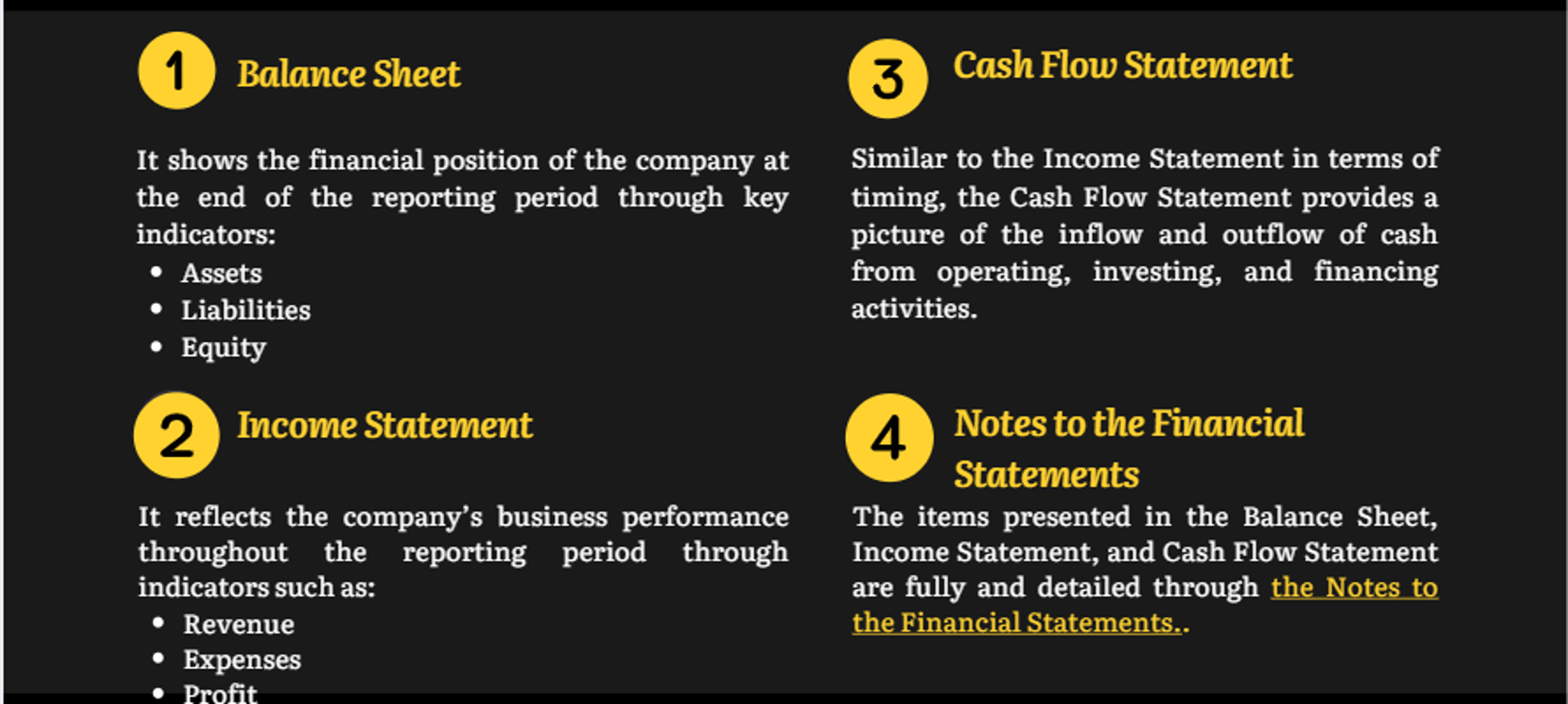
A complete set of financial statements includes the following basic reports:

B. THE PROCESS OF PREPARING FINANCIAL STATEMENTS
To prepare a complete and accurate financial statement in the simplest way, accountants must understand the following basic steps:

Step 1: Organize Accounting Documents
This is the first step in the process of preparing financial statements. In this task, it is essential to be meticulous and ensure proper chronological order. This way, it will be easier to declare and verify the reports.

Step 2: Record Economic Transactions.
To ensure the legitimacy, legality, and validity of the documents, the accountant needs to review the organized accounting documents.
Economic transactions may include: inventory issuance slips, receipts, payment slips, debt reports, etc.


Step 3: Classify Transactions by Month/Quarter
Transactions such as prepaid expenses, depreciation costs, etc., should be clearly classified to ensure proper financial statement filing.



Step 4: Review and Summarize Transactions by Account Groups
To compile accurate declaration information, the next step is essential. Accountants should review the following account groups:
– Inventory
– Receivables and payables
– Investments
– Prepaid expenses
– Fixed assets
– Revenue
– Cost of goods sold
– Administrative expenses
Note that if errors are detected, the accountant must investigate the cause and make corrections immediately to ensure accuracy in the financial statement declaration.




Step 5: Record Closing Entries and Transfer Revenue
After the above review steps, the next task is to ensure there is no balance at the end of the period by recording closing entries, transferring revenue, expenses, and finalizing profits or losses.

Step 6: Prepare the Financial Statements
The accountant will prepare the financial statements according to regulations on the HTKK software to complete the filing.
The specific steps are as follows:
• Open the HTKK software and log in with the company’s account.
• On the main screen of the HTKK software, select the “Financial Statement” function. Depending on the regime, choose the appropriate set of financial statements for filing.
• In the “Fiscal Year” section, fill in the required information and click “Agree.”
• The “Enter Declaration” screen will appear.
• Fill in all the required information in the three forms: Balance Sheet (BS), Income Statement (Profit or Loss – PL ), and Cash Flow Statement (CF). Then click “Save” and wait for the notification: “Data saved successfully!”
• Finally, click “Export XML” and save the exported file to your computer for submission to the tax authorities.
Once Step 6 is completed, the process of preparing financial statements is finished. The organization or enterprise should then submit the financial statements to the relevant government authorities and remember to print and archive the records.



IFRS Auditing and Consulting Company Limited
The company provides a wide range of services such as audit of financial statements, tax advice, accounting services and valuation services with leading experts working in large auditing firms, multinational corporations


